
Q: How to change the password?
A:
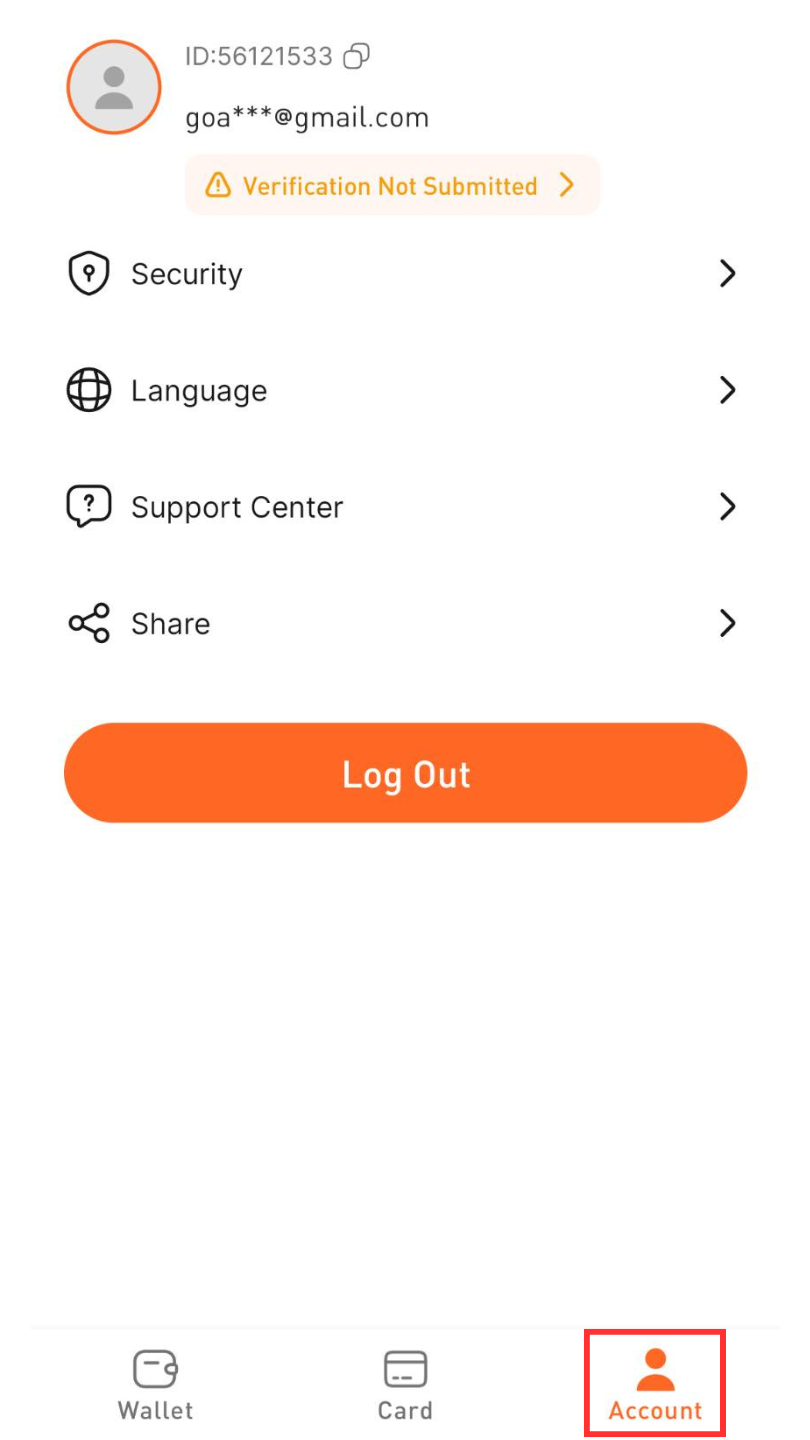
Step1. After logging in, click "Account"
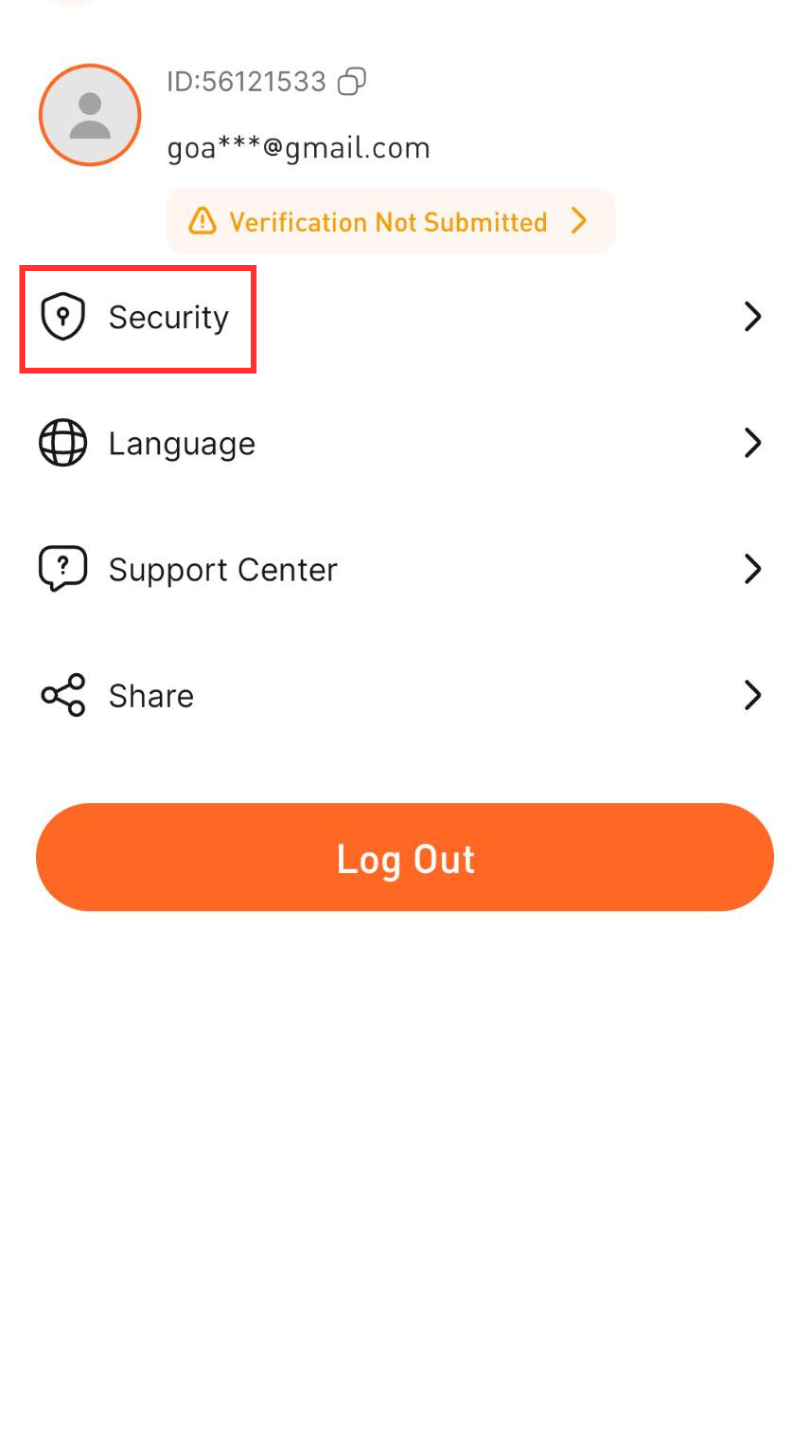
Step2. Click "Security"
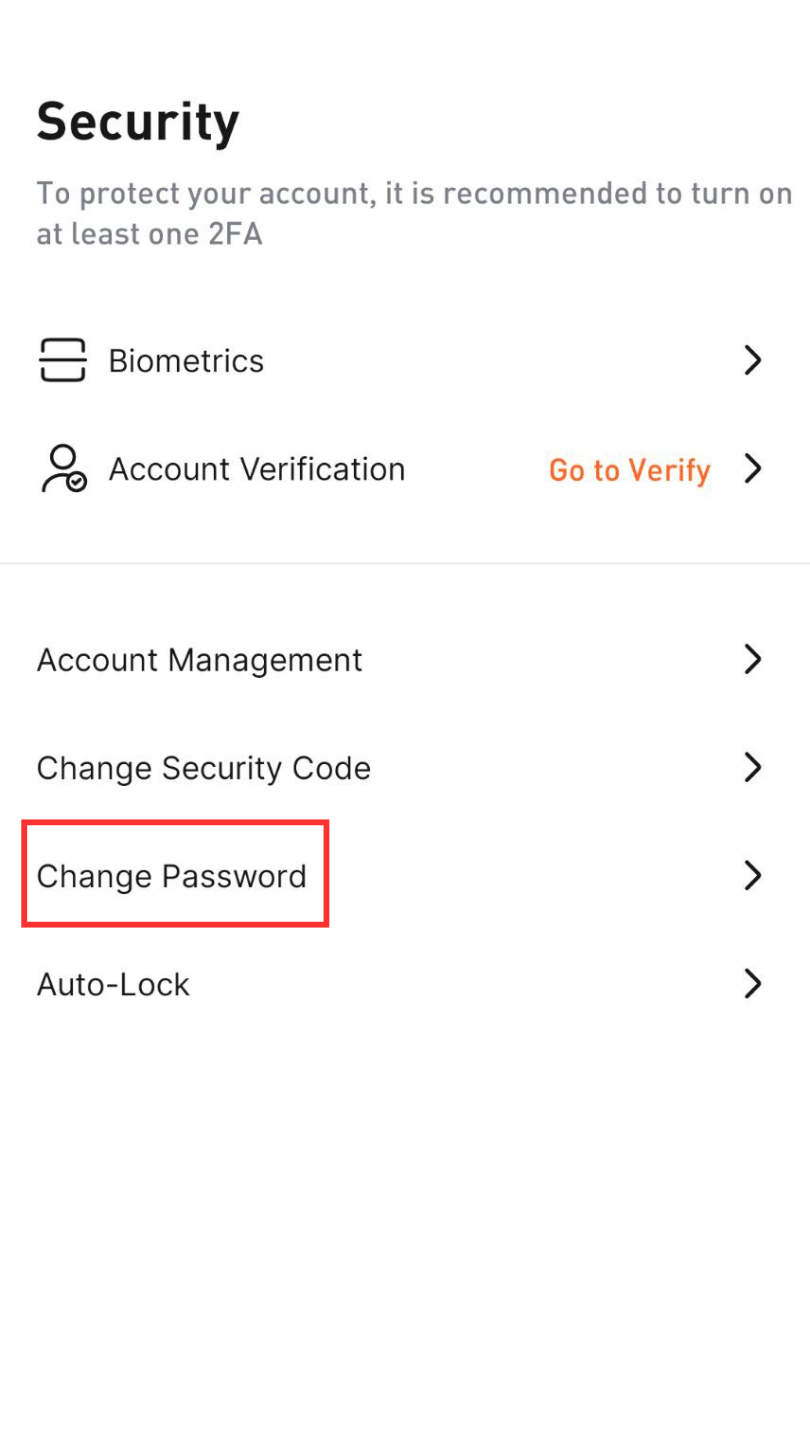
Step3. Click "Change Password"
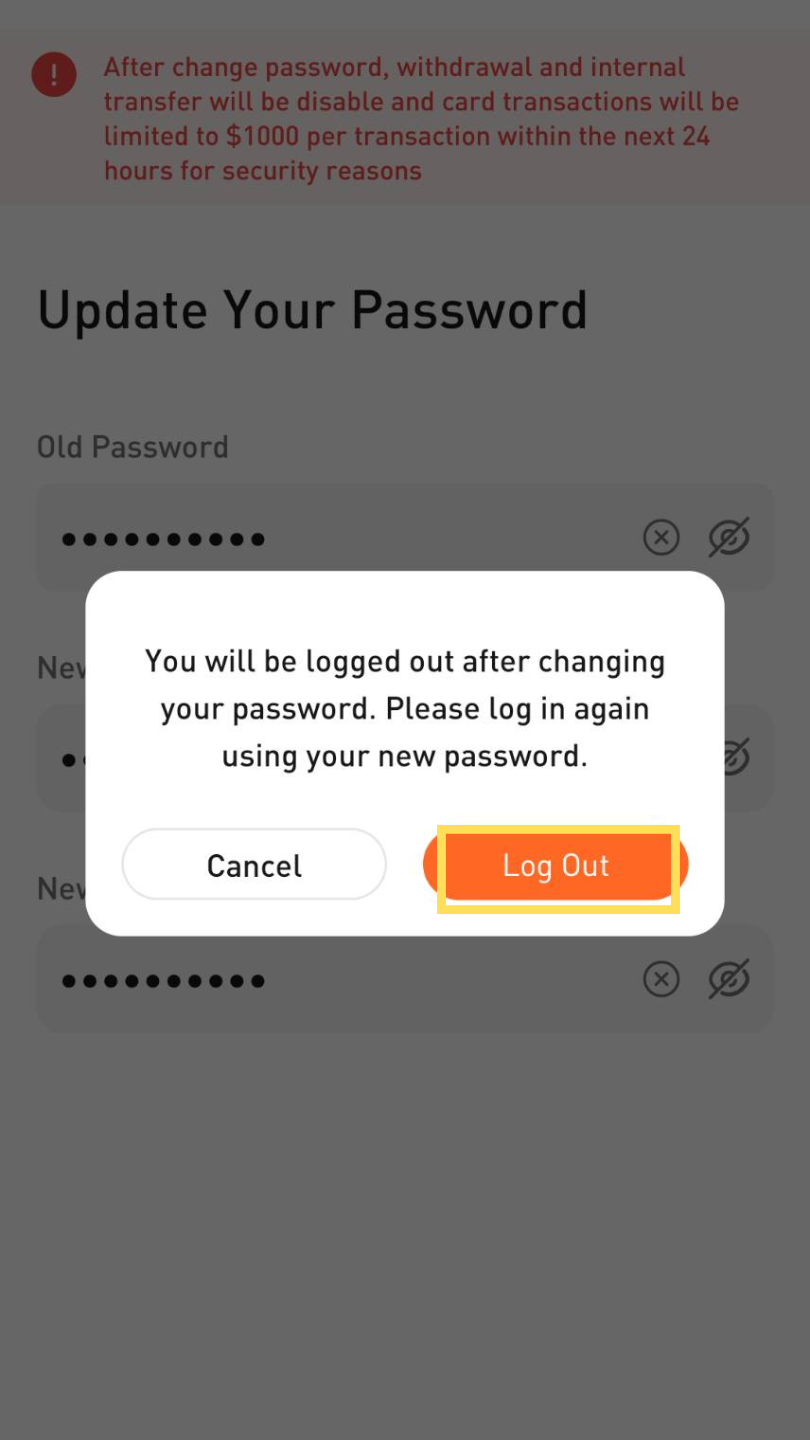
Step4. Enter your old password and set a new password
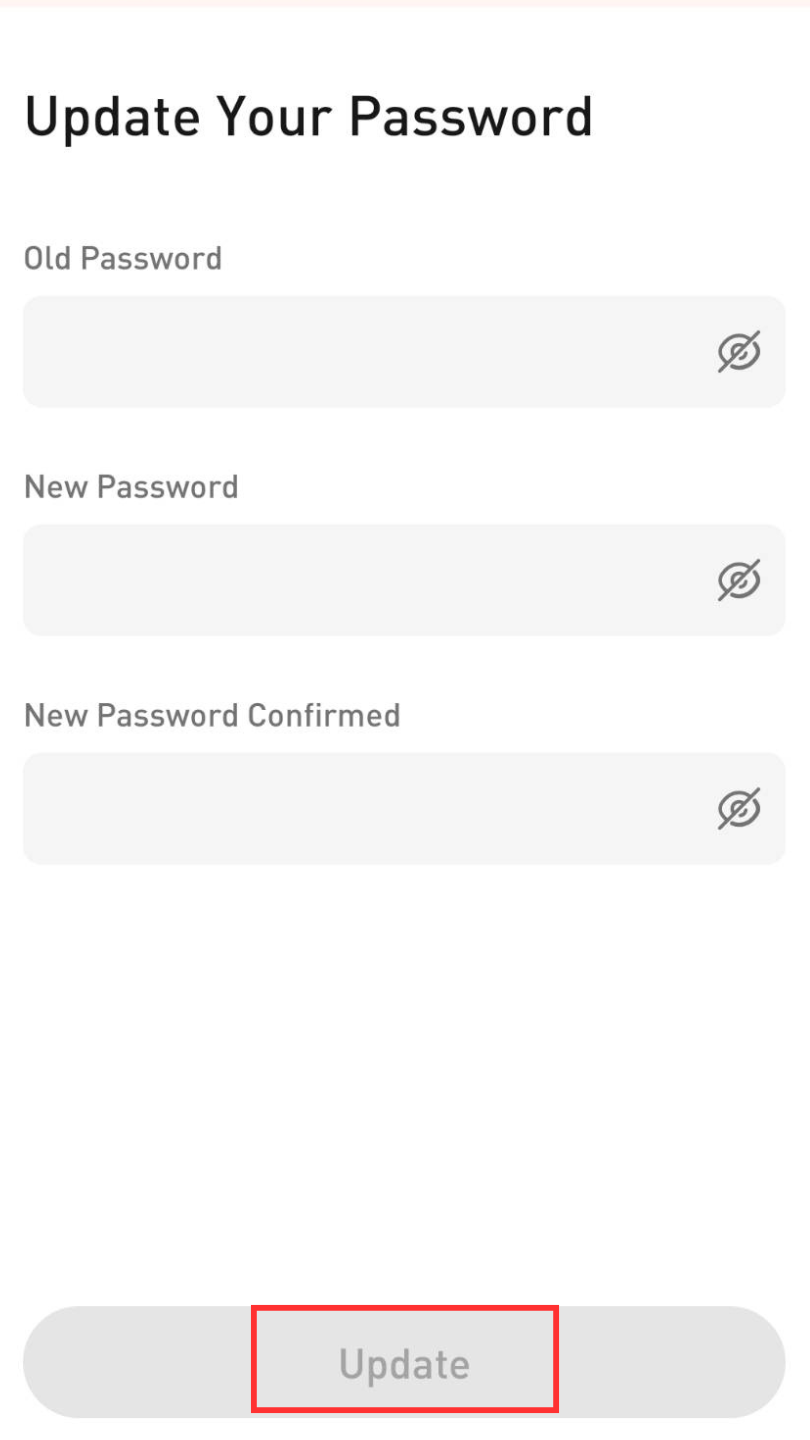
Step5. To change the password, you must log in again and click "Log out"
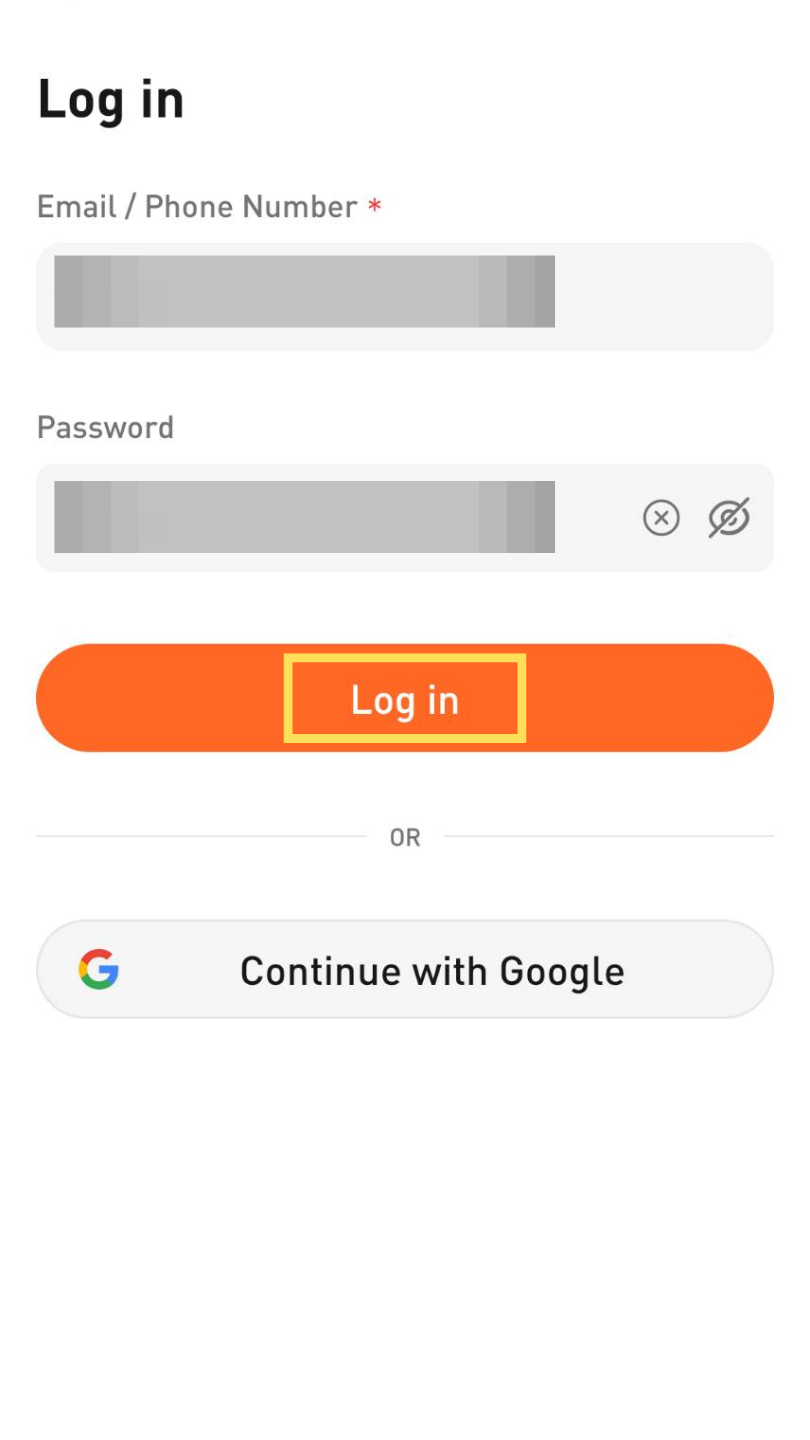
Step6. Re-enter your new password to log in
To ensure the security of user funds, after changing the account security settings, withdrawals and internal transfers will be disabled for the next 24 hours, and each card transaction will be limited to 1000 USD.
If you have any questions, please contact us:
KingCard Customer Service-Email: [email protected]